Splendit
Why SplenditHow it worksDisciplinesKnowledgePricingFAQ
SVSign inBook a demoTry for free

The design engineer inside Revit and AutoCAD.

Describe what is to be built. Splendit draws, calculates and checks in your model – architecture, structure, HVAC, electrical, fire, sprinklers and accessibility. A whole design team, in minutes instead of weeks.

Try free for 72 hoursBook a demoNo card. No automatic billing.
Works inAutodesk RevitAutodesk AutoCADRequires Revit or AutoCAD, Claude Code or Codex, and your own paid AI subscription.
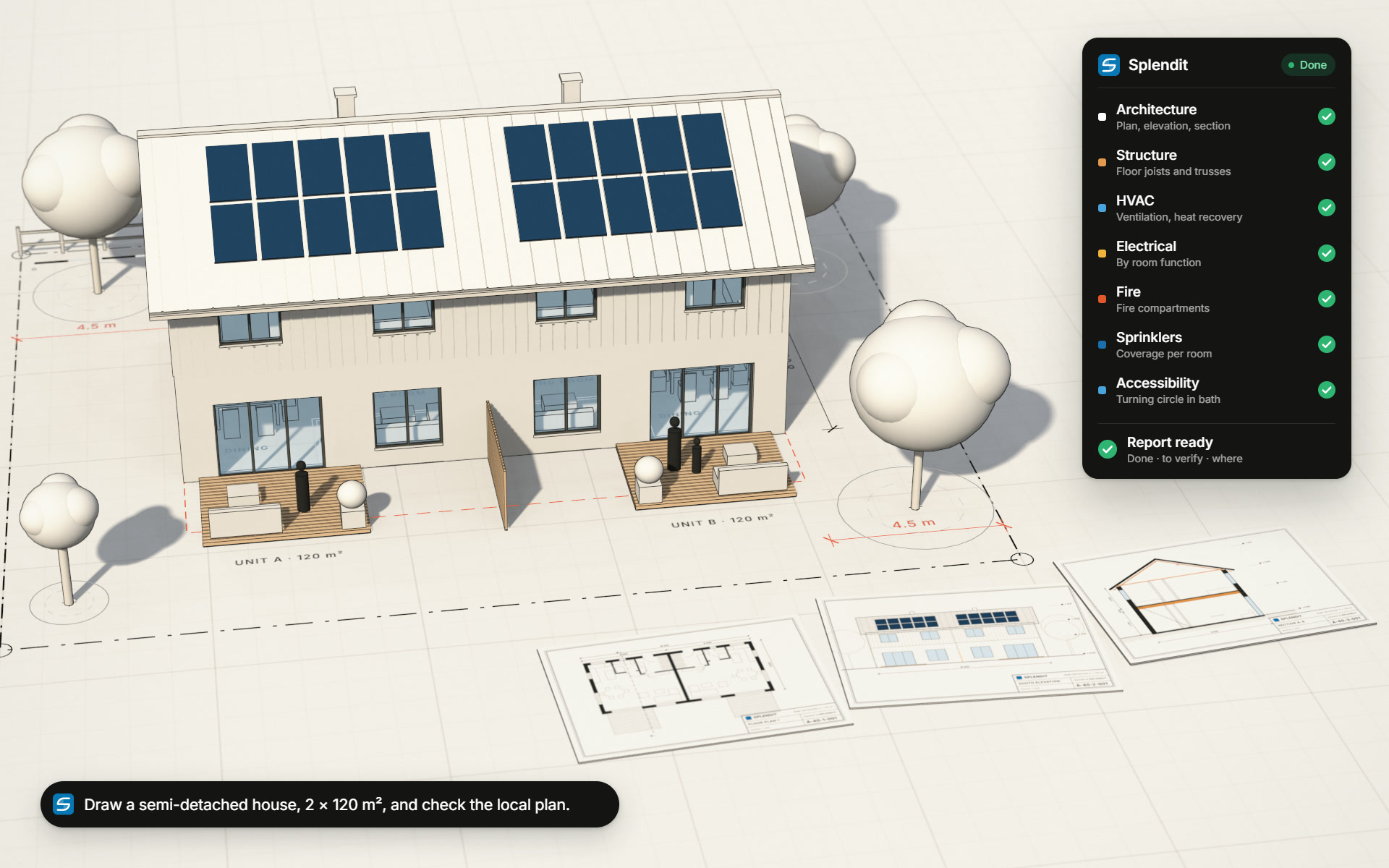
Film: one sentence becomes a floor plan, a semi-detached house and its drawings – with structure, HVAC, electrical, fire, sprinklers and accessibility
Size the floor structureFire compartments per BBRRender the facade
  • Autodesk RevitRevit 2025
  • Autodesk RevitRevit 2026
  • Autodesk RevitRevit 2027
  • Autodesk AutoCADAutoCAD 2025
  • Autodesk AutoCADAutoCAD 2026
  • Autodesk AutoCADAutoCAD 2027
  • Claude Code
  • Codex
How buildings are designed today

Seven consultants. Seven files. Weeks of waiting.

This is how buildings are designed today: every discipline in its own file, in its own queue, coordinated by email. Splendit moves the whole team into your model – in the right order, with the rules built in.

Today
  1. 1
    The architect draws the plan1–2 weeks
  2. 2
    The structural engineer gets the filewaits 5 days
  3. 3
    HVAC and electrical in separate modelsclashes found late
  4. 4
    The fire consultant reviewsnew wall types – redraw
  5. 5
    Accessibility checked lastthe WC doesn't fit
  6. 6
    Coordination meeting and revision+1 week
6–10 weeks to a coordinated set
With Splendit
  1. The plan is drawn from the briefminutes
  2. Fire compartments drive wall types directlysame run
  3. Structure sized from spanstable values
  4. HVAC and electrical follow room functionsclash check built in
  5. Accessibility drawn in a check viewbefore you move on
  6. Report: done, to verify, whereyou approve
Same day – in your model, not in email

The consultants don't disappear. They are spared what a machine does better: the order, the rules and the tedious drawing.

7
disciplines in one model
72 h
free, no card
0 kr
markup on AI usage
100 %
of your models stay with you

You describe. Splendit designs.

A full design team in the same file, in the right order, with the industry's rules built in – and you decide how much may happen without asking.

  • Floor plans
  • Elevations and sections
  • Areas to SS 21054
  • Permit check
  • Load-bearing structure
  • Ventilation and plumbing
  • Electrical per room
  • Fire compartments
  • Sprinklers
  • Accessibility
  • Quantities
  • AI rendering

How it works

One panel in the program. The whole team behind it.

Try for free
01

You write, attach and point

Text in Swedish or English, a sketch or PDF, a reference project, or a selection in the model. Splendit asks questions with options when something is unclear.

02

Splendit plans and works

It reads the model and the rules, shows every step in the panel and saves checkpoints. Long tasks continue in the background while you do other things.

03

You review and approve

The result is reported with what was done, what needs verifying and where the elements ended up. You decide how much may happen without asking.

Ask for approval

Every code run, command, dialog action and folder access shows a card for you to approve. For the first time, sensitive models or when you want to learn what Splendit does.

Approve for me

Splendit approves its own steps in the model and only asks before it reads or saves in a new folder. Choose Always allow and the question does not come back for that folder. The most common mode.

Full access

Nothing is asked. Splendit may read and save everywhere except its own private data and your keys. For those who work fast in their own projects.

See Splendit at work.

All disciplines
Brief → permit
Plans, elevations, sections and areas in one run.
You write

“Draw a semi-detached house, 2 × 120 m², on the plot with the project's wall types and check it against the local plan.”

Architecture
Splendit delivers
  • Two-level plan with living, gross and footprint areas
  • Elevations, sections and drawing set
  • Deviations from the local plan in a check view
SS 21054 · local plan
Knowledge

We write the rules. You get the result.

Rules and recipes written by architects, reference libraries read when exact values are needed, and lessons from projects already done. BBR, SS 21054, Säker Vatten and the electrical safety rules are the basis.

Knowledge baseread on demand
  • BBR 5:3Escape – travel distance ≤ 30 m in dwellings
  • SS 21054Area and volume – living, gross, usable
  • Säker VattenFall ≥ 1:100 on drainage pipes
  • Recipe 014Semi-detached on plot with ≥ 4.5 m to boundary
  • Project 299Lesson: stairwell needs EI 60 against garage
Safety

Splendit works. You decide.

Ask mode to only analyse. Three approval levels when it builds. Checkpoints make everything reversible, and your models go directly to your AI provider – never to us.

Level
Ask for approval
Approve for me
Full access
Splendit wants to save in “K:/Projects/299 Tellus/Model”. Allow?
Always allowJust onceDeny
Rendering

From your Revit view to an image that explains the idea.

Describe materials, light and atmosphere. Splendit creates AI renderings directly in Revit with GPT Image 2 through your own ChatGPT account. The images are visualizations – check geometry and materials against the model before delivery.

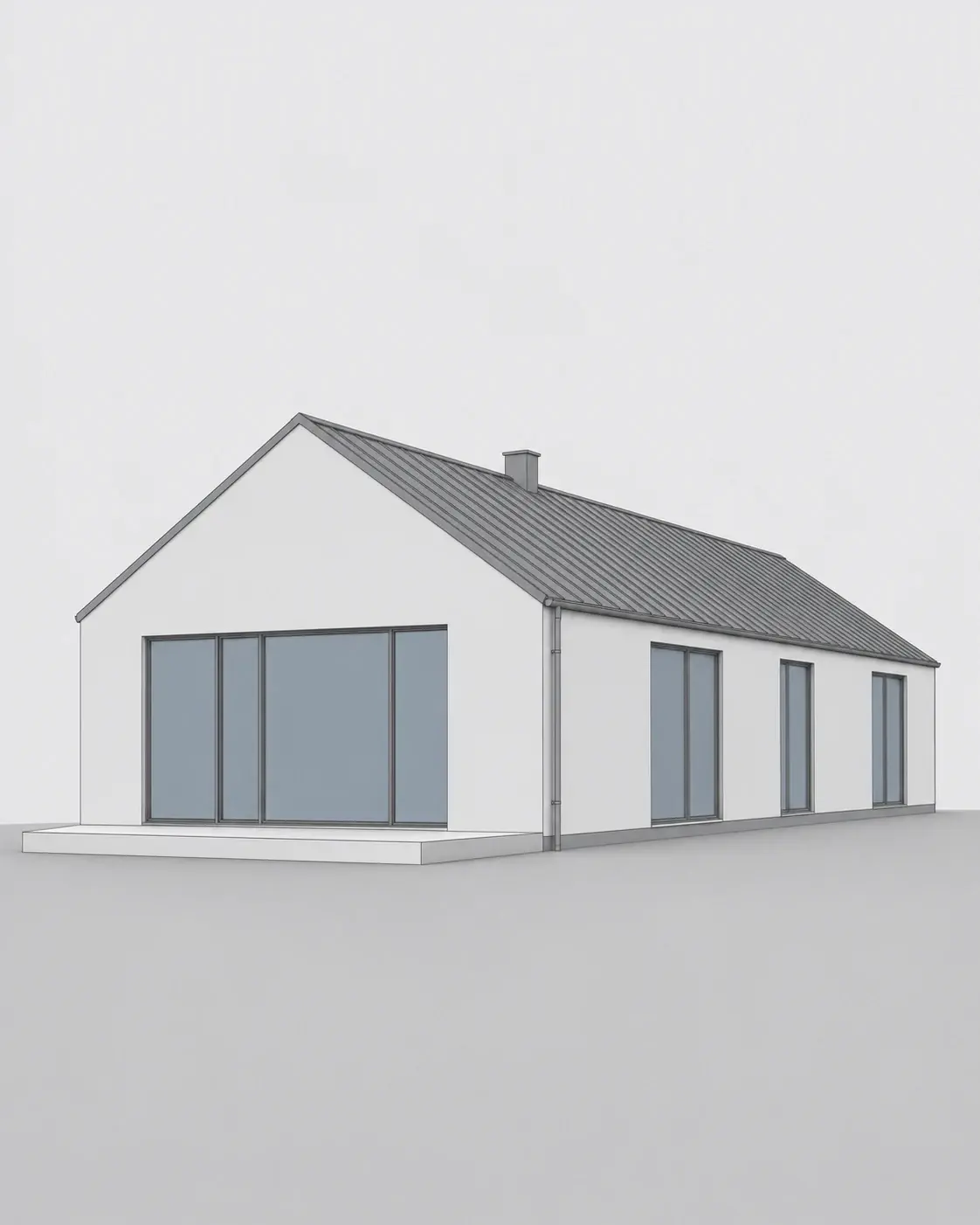
Illustrative 3D model of a villa with a gable roof, large windows and a terrace3D view · before
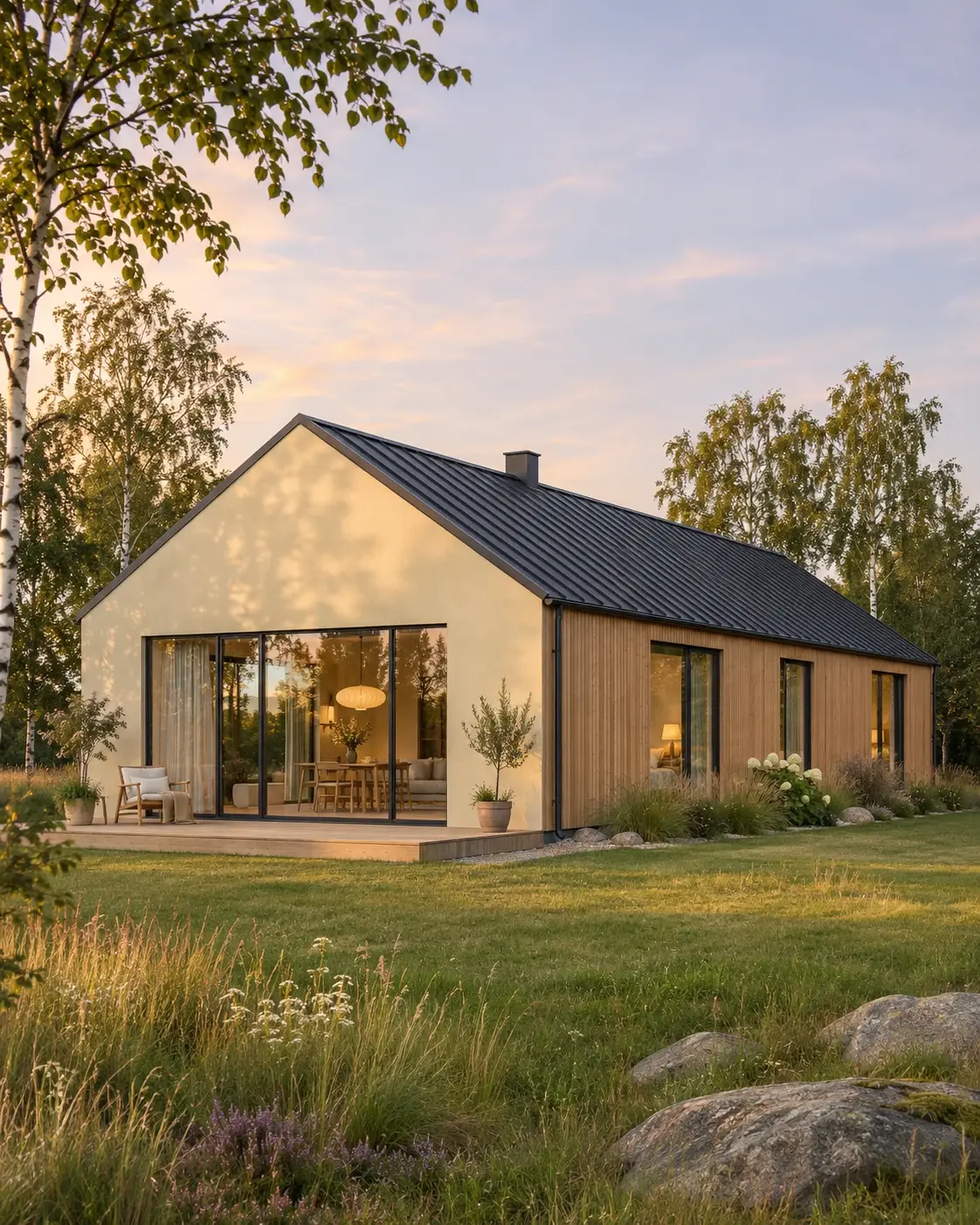
Photorealistic visualization of the same villa from the same viewpoint, with timber, pale plaster and warm evening lightAI render · after
“Timber and pale plaster, large windows, evening light, west terrace”
Knowledge

How Splendit knows what it knows.

A language model can write code. It cannot by itself know what a Swedish permit drawing should look like, or that a municipality requires 4.5 metres to the boundary even for a carport. That knowledge is what Splendit is built around.

01

Rules and recipes, written by architects

Every tool has rules for how it may be used and recipes for how a whole assignment is carried out: which views a permit set needs, how a ventilation layout is built step by step, which parameters a new family must have. Written by the architects at Svensk FormVision AB and updated continuously. You can propose changes directly in Splendit; they are reviewed before reaching everyone.

02

Reference libraries read on demand

When an exact value is needed, Splendit reads the source instead of guessing: BBR and Boverket texts, the Gyproc handbook, Swedish Wood's handbooks, Säker Vatten, the electrical safety rules, BIP codes, a climate database for building parts and local plan provisions. The answer shows where the value came from.

03

Project memory, shared across the company

Every project has its own memory: decisions made, wall types chosen, what the client wants, what the municipality said. Point to a folder all colleagues can reach and the memory lives there, tied to the model – together with the project's task list. Splendit checks the list before it starts.

04

Lessons, local and central

When Splendit fails and then finds what works, or when you correct it, a lesson is saved. Local lessons are used directly in your company. Lessons you choose to share are stripped of project names and personal data, reviewed by Svensk FormVision AB and reach all Splendit users.

One company, one memory

Several licences in the same company share project memory, task list and lessons through a shared folder. Every project makes the next one better.

  • What is collected

    How a municipality interprets its local plan. Which program version needs a certain workaround. That a certain family library lacks a parameter.

  • What never leaves you

    Your models, your drawings, your prompts and your clients. The AI model talks directly to your provider. Sharing of lessons is off until you turn it on.

  • Who reviews

    The architects at Svensk FormVision AB. A lesson becomes a rule only once verified in a real project. Incorrect lessons are removed centrally and disappear for everyone.

Example lessons
Permit

For semi-detached houses in local plans with “detached” in the provisions, several municipalities treat a carport as a building when measuring distance. Check 4.5 m for the carport too.

Families

Furniture from the project's own library may face the other way than expected; check orientation before approving the furnishing.

Municipality

This municipality wants the site plan at 1:400 with ground levels at all facade corners, not only at the entrance.

Swedish and US codes – with the option to search further

Splendit supports Swedish regulatory sources and a US source catalogue. Designing for another country, Splendit searches relevant sources on the web from your instructions and asks for country or region when needed. Country profiles are a starting point, not a limit.

The US catalogue provides source references, not a complete code bank or verified local applicability. Always check current requirements, local amendments and the right edition. Paid standards' full text is not included automatically.

Your programs. Your AI.

Splendit connects to Claude Code or Codex on your computer. You buy the subscription yourself, and your models and prompts go directly to the provider.

See what you need
Autodesk RevitAutodesk AutoCAD

Revit and AutoCAD 2025–2027

One installation covers all versions. Setup finds them on the computer and you choose which get Splendit.

Claude or ChatGPT

Claude Pro/Max with Claude Code, or ChatGPT Plus/Pro with Codex. No markup on AI usage.

Nothing goes through us

Models, drawings and prompts are never sent to Svensk FormVision AB. Account and licence servers are in Stockholm.

Licences and pricing

Prices per licence. Subscriptions for Codex and Claude are not included.

Prices in EUR excl. VAT – VAT is added at checkout where applicable (EU consumers).

Professional

1–4 licences
€180
per licence per month, paid monthly · excl. VAT
€140 per month when paid annually.
Choose Professional
  • All tools and seven disciplines
  • Splendit for Revit and AutoCAD 2025–2027
  • Recipes and references for Splendit
  • One active session per licence

Team

5–19 licences
€150
per licence per month, paid monthly · excl. VAT
€130 per month when paid annually.
Choose Team
  • Same tools as Professional
  • 5–19 licences
  • Recipes and references for Splendit
  • One active session per licence
  • One agreement for the whole team

Enterprise

20+ licences
From €140
per licence per month, paid monthly · excl. VAT
From €110 per month when paid annually. Pricing and scope as agreed.
Talk to us
  • Same tools as Team
  • From 20 licences
  • Onboarding: €2,280 – €6,830
  • Support and SLA agreed separately

Try free for 72 hours

Exactly 72 hours from the first successful activation in the plugin, at most once per independently verified legal company. No card and no automatic billing.

Try for free

School or university?

Education licences are free for teaching and valid one year from issue. Apply with the school's details and we get back to you within a few days.

Apply for Education

A licence is one active Splendit session at a time, in Revit or AutoCAD, on one computer. A licence can be moved between computers.

Questions and answers

What is Splendit and how does it work?

Splendit is an add-in for Revit and AutoCAD with a chat panel. Behind the panel a design engineer works directly in the model, knows the industry's rules and asks you when it needs a decision. It connects to Claude Code or Codex on your computer.

How does a licence work?

A licence is one active Splendit session at a time, in Revit or AutoCAD, on one computer. You can move a licence between computers; switching may need a short wait until the previous session has expired. The company administrator sees all licences under My licences.

What does the AI usage cost?

The AI subscription is paid separately directly to Anthropic or OpenAI. Provider usage limits apply. Splendit adds no markup to AI usage.

Where do my models go?

Splendit never sends models, drawings or prompts to Svensk FormVision AB. The AI model talks directly to your provider from your computer. We store company and invoicing details, licence keys and sessions, and payment status via Stripe – on servers in the EU (Stockholm).

Which libraries are included?

Splendit's libraries contain recipes, work instructions and reference information used by Splendit. This is not a library of downloadable Revit families, materials or 3D objects.

How do we pay and how do we cancel?

The monthly option is paid monthly, annual options upfront for twelve months. Cancellation and any renewal are governed by your contract terms – contact us at kontakt@splendit.me.

Which currency do we pay in, and how does VAT work?

Companies and private persons in any country can buy, in SEK, EUR or USD. Prices in SEK include 25 % Swedish VAT. Prices in EUR and USD exclude VAT, and VAT is calculated at checkout from country and VAT number: private persons in the EU pay VAT, EU businesses with a valid VAT number are reverse charged, and outside the EU there is normally no VAT. A subscription continues in the currency it was started in.

72 hours with the whole team in your model.

72 hours from the first activation. One trial per verified company. No card and no automatic billing.

Try for freeBook a demo

Disciplines

What each discipline does in the model, in which order, and how they check each other.

How it works

The panel, the approval levels, checkpoints and how your models never leave your computer.

Pricing

Licences per computer, a 72-hour trial without a card, and what your AI subscription needs.

Splendit

The design engineer inside Revit and AutoCAD. Developed by architects at Svensk FormVision AB in Stockholm.

Describe what is to be built …

Product

  • Why Splendit
  • How it works
  • Disciplines
  • Pricing
  • Education

Get started

  • Installation
  • System requirements
  • Download Setup
  • Sign in

Company

  • About Svensk FormVision
  • Contact
  • Book a demo
  • Terms and privacy
  • Withdraw from the contract
© 2026 Svensk FormVision AB · Stockholmkontakt@splendit.me
SvenskaEnglish